
Why the Right Cool Things for Home Office Actually Matter
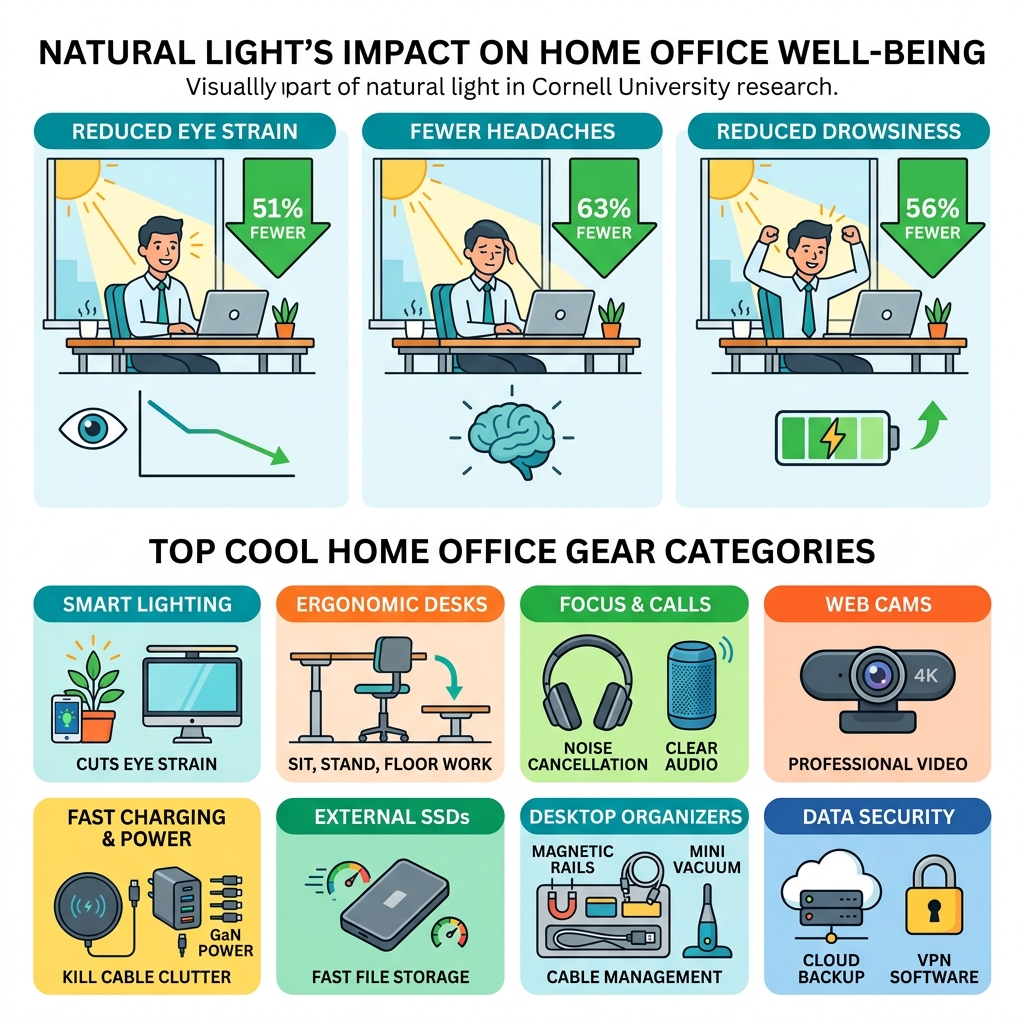
The best cool things for home office setups right now include:
- Smart lighting like app-controlled LED plants and screenbars that cut eye strain
- Ergonomic desks that let you sit, stand, or even work from the floor
- Noise-cancelling headphones and desktop Bluetooth speakers for focus and calls
- 2K or 4K webcams for sharp, professional video meetings
- Wireless chargers and GaN chargers to kill cable clutter
- External SSDs for fast, portable file storage
- Desktop organizers with magnetic rails, cable trays, and mini vacuums
- Cloud backup and VPN software to keep your data safe
Nearly one in five employees now works from home — and that number keeps climbing. But working from home and working well from home are two very different things.
A kitchen chair and a laptop on the dining table might get you through a Monday. It won’t get you through a year.
The good news? You don’t need to spend a fortune to build a setup that actually supports you. Some of the biggest upgrades cost less than $50. Others are genuinely surprising — think smart lights disguised as plants, desks that fold under your bed, and speakers with dot-matrix displays that pulse when you turn the volume up.
Research from Cornell University found that employees with more natural daylight at their workstation reported 51% less eye strain, 63% fewer headaches, and 56% less drowsiness. That’s just from light. Imagine what the right desk, the right chair, and the right gear can do.
This guide covers the gear that’s actually worth your attention — organized by category, with options at every budget.
High-Tech Essentials for Connectivity and Security
When we transition to a home office, the “tech backbone” is usually the first thing that needs an upgrade. We’ve all been there: halfway through a critical Zoom call when the screen freezes or the laptop battery dies because the charger is in the other room. To build a truly professional setup, we need to look beyond the basic laptop.
Crystal Clear Communication
If you want to look sharp in meetings, the built-in webcam on your laptop usually won’t cut it. Upgrading to a dedicated 2K webcam, like the Anker PowerConf C200, can make a world of difference for under $60. These devices offer better autofocus and low-light performance, ensuring you don’t look like a grainy shadow during evening calls. For those who want the absolute best, 4K options like the Logitech MX Brio provide professional-grade clarity.
Power and Charging with GaN Technology
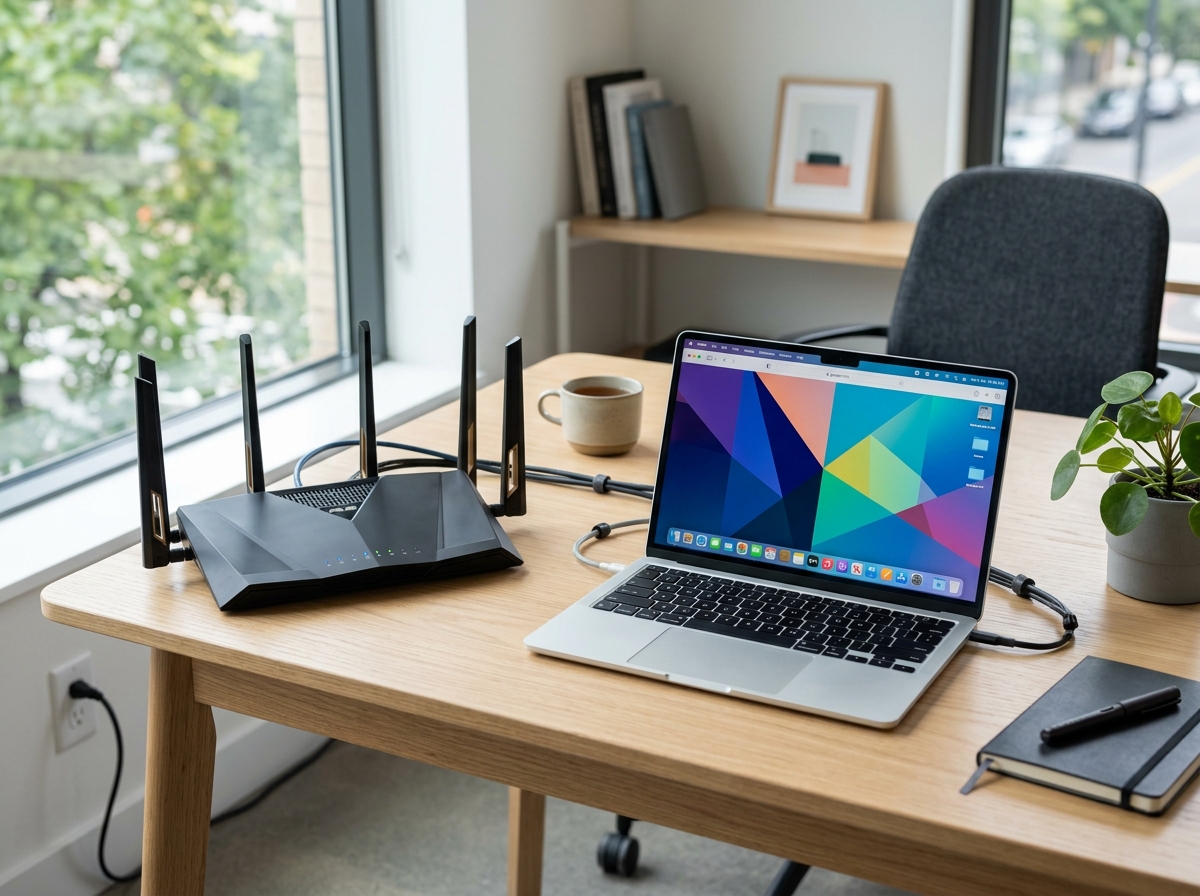
Modern laptops are powerful, but they are also hungry for ports. Because many of our favorite thin laptops lack enough outlets, a Thunderbolt dock or a high-quality USB-C hub is essential. We recommend looking for chargers using Gallium Nitride (GaN) technology. These chargers, like the Anker Prime series, can deliver up to 200W of power in a footprint much smaller than traditional silicon chargers. This means you can charge your laptop, phone, and tablet simultaneously from one compact block.
Storage and Sound
Data security and speed are just as important as power. Pocket-sized external SSDs, such as the Crucial X9 Pro, now offer up to 4TB of storage with 10Gbps speeds. This is perfect for backing up large projects or keeping your system fast. To keep your data safe from prying eyes, we suggest using best productivity tools for remote workers like encrypted cloud backups (iDrive is a solid choice) and a reliable VPN.
For your desk audio, why settle for tinny laptop speakers? The Syitren N200 Desktop Bluetooth Speaker for Your Desk is a perfect example of a “cool” tech item. It features a retro ivory-and-orange design with a 7×6 dot-matrix display that shows playful pixel animations when you adjust the volume. It even has a knob that doubles as a remote shutter for your phone camera—a quirky but helpful feature for content creators.
Internet Speed: The Silent Productivity Killer
To maintain a seamless workflow, we recommend an internet speed of at least 300–500 Mbps. If you are handling large video files or constant cloud syncing, upgrading to a 1 Gbps connection is often the best investment you can make. It eliminates the frustration of lag and ensures your security software and VPNs can run in the background without slowing you down.
Ergonomic Innovations: Cool Things for Home Office Comfort
Ergonomics isn’t just a buzzword; it’s about making sure your body doesn’t pay the price for your career. We spend hours at our desks, so the “coolest” thing you can do for yourself is invest in furniture that moves with you.
The Rise of Versatile Desks
The traditional “static” desk is becoming a thing of the past. One of the most innovative solutions we’ve seen is Lillipad: The World’s Only Foldable Electric Standing Desk. Unlike standard standing desks that are heavy and permanent, the Lillipad features a patented X-frame that allows it to adjust from 6 inches to 48 inches. This means you can work while sitting on the floor, in a chair, or standing up. When you’re done, it collapses to just 6 inches high so you can slide it under your bed or into a closet. It arrives fully assembled with integrated power outlets—a dream for anyone in a small apartment.
Compact Workspaces for Small Homes
If you don’t have a dedicated room for an office, you might need a “stealth” solution. Beaktor – Compact 1 m² Workspace is a wall-mounted unit that takes up only one square meter. When opened, it reveals a full desk with integrated LED lighting (including specialized “conference” lights for video calls) and power sockets. When closed, it looks like a refined art panel. It’s designed to keep your screen at eye level, which is critical for preventing neck strain.
Neuroscience and the Charcoal Desk
For those who want to push the boundaries of productivity, the Charcoal Desk takes a high-tech approach to well-being. It uses sensors and pre-loaded EEG data to track your work habits. Instead of just telling you to stand up, it identifies “natural restorative windows” and uses a subtle “Activity Lamp” to tell you when to take a calibrated break. This helps keep your stress levels within a healthy threshold, preventing the mid-afternoon burnout that many of us face.
Comparing Desk Setups
| Feature | Compact (Beaktor) | Modular (Wyrmwood) | Foldable (Lillipad) |
|---|---|---|---|
| Space Required | 1 m² (Wall-mounted) | Standard Room | Small (Foldable) |
| Assembly | Professional/Easy | Modular/Custom | Zero (Pre-assembled) |
| Unique Tech | Integrated 625 lux lighting | Magnetic Rail System | 6″ to 48″ X-Frame |
| Best For | Studio Apartments | Gamers & Creators | Hybrid/Remote Workers |
Budget-Friendly Cool Things for Home Office Setups
You don’t need a $1,000 desk to be comfortable. There are plenty of cool things for home office enthusiasts that are light on the wallet:
- Laptop Stands: Raising your laptop so the top of the screen is at eye level is the quickest way to fix your posture.
- Monitor Arms: These free up desk space and allow you to rotate your screen vertically—perfect for reading long documents or coding.
- Blue Light Filters: While software can help, a physical screen protector is often more effective at reducing eye fatigue.
- Ergonomic Wrist Rests: Look for firm support for the base of your palm, not just soft foam.
- Secondary Monitors: If a new 4K Dell monitor isn’t in the budget, check out remote work gadgets for digital nomads for portable monitor options that provide extra screen real estate for a fraction of the cost.
Organization Hacks and Unique Workspace Accessories
A cluttered desk leads to a cluttered mind. We’ve found that the best organization tools aren’t just boxes—they are integrated systems that make “cleaning up” feel like part of the design.
The Modular Approach
The Gaming Desk – Wyrmwood is a masterclass in organization. It features a magnetic rail along the edge, allowing you to snap on cup holders, headphone hangers, or tablet stands wherever you need them. Underneath, it uses a T-track system to mount PC towers and drawers without drilling holes. This “Lego-like” modularity means your desk can evolve from a workstation to a “battlestation” for gaming in seconds.
Dealing with “Cable Spaghetti”
Cables are the enemy of a cool home office. We recommend using magnetic cable clips and under-desk trays to hide the mess. Some modern desks even include built-in cable management that routes everything through the legs. If you find yourself working in different spots, you might want to compare a comparison of coworking spaces versus cafes to see how professional spaces handle their infrastructure compared to your home setup.
The “Super Cute” Cleaning Solution
One of our favorite tiny cool things for home office setups is the desktop vacuum. These palm-sized devices (like the ODISTAR) are perfect for whisking away crumbs, dust, and pencil shavings from your keyboard. They are rechargeable, surprisingly powerful, and much more convenient than dragging out a full-sized vacuum.
Unique and Cool Things for Home Office Well-being
Productivity isn’t just about typing faster; it’s about feeling better. Adding elements of nature and light can drastically improve your mood.
- Smart Mood Lighting: The Fluora Mini | Dynamic Smart Light | Elevated Mood Lighting is a “smart plant” that uses a 3D lighting engine to create mesmerizing, hypnotic effects. With 16 million color combinations, it acts like a digital fireplace that can pulse to your music or provide a calming glow during deep work sessions.
- Greenery and Air Quality: If you don’t have a green thumb, smart pet planters can “smile” when they are watered and “nap” when they are bored. They add life to your desk without the stress of keeping a difficult plant alive.
- Ambiance: Tabletop water fountains or ambient noise machines can help mask household distractions. If your home office gets too noisy, you might consider looking into budget-friendly coworking spaces to find a quiet sanctuary for those high-focus days.
Frequently Asked Questions about Home Office Gear
How can I improve my video call quality from home?
Start with lighting. Position your desk facing a window for natural light. If that’s not possible, a screenbar or a ring light can help. Next, upgrade your hardware. A 2K webcam like the Anker PowerConf C200 and a dedicated microphone (like the Shure MV5) will make you sound and look far more professional than standard laptop internals.
What are the best ways to reduce desk cable clutter?
Switch to wireless peripherals where possible—a wireless mouse and keyboard (like the Logitech MX series) remove two major cords immediately. Use a “cable dump” or a tray mounted under your desk to hold power strips. For the cables that must remain on the desk, use magnetic cable organizers to keep them from sliding off when unplugged.
How do I ensure my home office data is secure?
Security should be multi-layered. Use a reputable VPN to encrypt your internet connection, especially if you occasionally work from cafes. Combine this with a password manager and regular backups to an external SSD or a secure cloud service. Also, ensure your Wi-Fi router is using WPA3 encryption and has a strong, unique password.
Conclusion
Building a home office is a journey, not a one-time purchase. At FinancePayX, we believe that the physical environment you work in is just as important as the tools you use. From the neuroscience-backed reminders of a Charcoal Desk to the simple joy of a tiny desktop vacuum, the cool things for home office bliss are those that blend functionality with personality.
Whether you are a full-time remote worker or a hybrid freelancer, investing in human-centric design—like proper lighting and ergonomic support—will pay dividends in your health and productivity. Don’t be afraid to start small; sometimes a better webcam or a simple laptop stand is all it takes to transform your workday.
Ready to take your remote setup to the next level? Explore more about the digital nomad life and discover how to stay productive, no matter where your “office” happens to be today.
