
Why a Cloud VPN Remote Connection Is Essential for Remote Workers
A cloud VPN remote connection is one of the fastest and most reliable ways to securely access your company’s data, apps, and internal systems from anywhere in the world. Here’s a quick summary of what you need to know:
What is a cloud VPN remote connection?
- It creates an encrypted tunnel between your device and cloud-hosted resources over the public internet
- It uses security protocols like IPsec or SSL/TLS to keep your data private in transit
- It works from any location — home office, coffee shop, or across borders
Why does it matter for remote workers?
- Lets you safely access corporate networks without being physically in an office
- Scales easily as your team grows — no hardware required
- Replaces clunky on-premises VPN appliances with a cloud-managed service
How to get started (at a glance):
- Choose a cloud VPN provider (e.g., Google Cloud VPN, AWS Client VPN, OpenVPN CloudConnexa)
- Configure your VPN gateway and tunnels
- Add users and set access policies
- Install a VPN client app on your device and connect
Remote work has changed how businesses think about network security. In the past, you needed physical hardware at the office to give employees secure access. Today, that model is breaking down fast.
Cloud VPNs — also called VPN as a Service (VPNaaS) — have stepped in to fill the gap. They’re hosted in the cloud, managed by providers, and can be set up in minutes instead of days. A pharmaceutical company, for example, was able to roll out secure remote access for around 3,000 employees in just three days using a cloud-based VPN solution. That kind of speed simply isn’t possible with traditional hardware-based VPN setups.
Whether you’re a first-time remote worker trying to connect safely to your employer’s systems, or a small business owner setting up secure access for a distributed team, understanding cloud VPN remote connections is a critical first step.

The Power of a Cloud VPN Remote Connection for Modern Business
In the “old days” (which were really just a few years ago), if we wanted to connect to the office, we had to hope the physical VPN server in the server room didn’t decide to take a nap. Traditional VPNs rely on physical hardware that has strict limits on how many people can connect at once. If your company suddenly grew or everyone went remote at once, the hardware would simply choke.
A cloud vpn remote connection changes the game by moving that infrastructure into the cloud. Instead of buying a box, we use a service. This is often called VPNaaS (VPN as a Service). It’s like switching from a literal filing cabinet to a digital one; one has a physical limit, the other can expand almost infinitely.
The beauty of this shift is rapid deployment. We don’t have to wait for a technician to install a rack-mounted server. We can spin up a gateway in a cloud console and have a secure perimeter ready in the time it takes to brew a fresh pot of coffee. This agility is why cloud-based systems are becoming the backbone of digital transformation. If you’re looking to boost your overall efficiency, check out our guide on the Best Productivity Tools for Remote Workers.
Furthermore, official Cloud VPN documentation | Google Cloud highlights that these services are designed to securely extend your peer network to a virtual private cloud (VPC) through encrypted IPsec tunnels. It’s not just about “logging in”; it’s about creating a seamless, secure bridge between where you are and where your data lives.
How a Cloud VPN Remote Connection Enables Global Accessibility
One of the biggest headaches for a distributed workforce is latency—that annoying lag that happens when your data has to travel halfway around the world. Cloud VPN providers solve this by using “Points of Presence” (PoPs).
Imagine a spiderweb covering the globe. Each node in that web is a PoP. When we use a cloud vpn remote connection, we connect to the node closest to us. This reduces the distance data travels, keeping speeds high and frustrations low. Many providers offer a full-mesh topology, meaning these nodes are all interconnected, ensuring that even if one path is slow, the system finds a faster way.
This global reach is a lifesaver for digital nomads. Whether you’re working from a beach in Bali or a cafe in Lisbon, you need a connection that doesn’t just work, but works fast. For more on staying connected while traveling, see our Nomad’s Guide to reliable internet.
Optimizing Your Cloud VPN Remote Connection for Performance
We often hear people complain that “VPNs are slow.” While that was true for old-school setups, modern cloud VPNs are surprisingly beefy. For instance, a single cloud VPN tunnel can support up to 250,000 packets per second. In human terms, that’s between 1 Gbps and 3 Gbps of bandwidth. That is more than enough to handle high-definition video calls, large file transfers, and your favorite music streaming in the background.
To get the most out of your cloud vpn remote connection, we recommend:
- TCP Optimization: This helps manage how data is sent to reduce errors.
- Packet Loss Mitigation: Advanced cloud protocols can “fill in the gaps” if a few bits of data go missing during transit.
- Regional Selection: Always pick the gateway region closest to your physical location.
For those ready to dive into the technical setup, this Tutorial: Use CloudConnexa for Remote Access provides a great walkthrough on building a solution for global employees.
Architectures and Deployment Models
Not all cloud VPNs are created equal. When we look under the hood, we usually see two main types: High Availability (HA) and Classic.
| Feature | HA VPN | Classic VPN |
|---|---|---|
| Availability SLA | 99.99% | 99.9% |
| Routing | Dynamic (BGP) | Static or Dynamic |
| Interfaces | Two interfaces for redundancy | Single interface |
| Best For | Mission-critical workloads | Low-volume, simple setups |
While 99.9% sounds great, that extra “0.09%” in an HA VPN can be the difference between a productive afternoon and a total blackout. Most modern enterprises are moving away from Classic models in favor of HA setups because they offer better failover protection.
When setting up your remote workspace, don’t forget the physical side of things! Having the right remote work gadgets can make a world of difference when you’re managing these connections.
High Availability and Scalability
The “99.99% SLA” isn’t just a marketing number—it’s a promise backed by architecture. An HA VPN uses redundant interfaces and peer gateways. If one tunnel fails, the system automatically flips to the other one so fast you probably won’t even notice your Zoom call jitter.
Scalability is the other half of the magic. Cloud VPNs use a pay-as-you-go model. If we have 10 employees today but 100 next month, we don’t need to buy new routers. We just adjust our settings in the cloud console. It’s elastic, meaning it grows and shrinks with our needs, saving us money and headaches.
Client-to-Gateway vs Site-to-Site
There are two main ways we deploy these connections:
- Client-to-Gateway (Remote Access): This is what most remote workers use. You install an app (the “client”) on your laptop or phone, and it connects directly to the cloud gateway.
- Site-to-Site: This connects two entire networks. For example, it might link your physical branch office in New York to your Google Cloud or AWS VPC.
For the modern distributed workforce, the client-to-gateway model is the star of the show. It allows for a secure “VPC extension” right to your laptop, no matter where you are sitting.
Security Features and Zero Trust
If a cloud vpn remote connection is a tunnel, Zero Trust is the armed guard at the entrance. In the past, once you were “in” the VPN, you had access to everything. That’s a huge security risk.
Modern solutions use Zero Trust Network Access (ZTNA). This philosophy assumes that no one should be trusted by default, even if they are already on the network. ZTNA uses identity-based policies. Instead of giving you access to the whole “building,” it only gives you the key to the specific “room” (or app) you need to do your job.
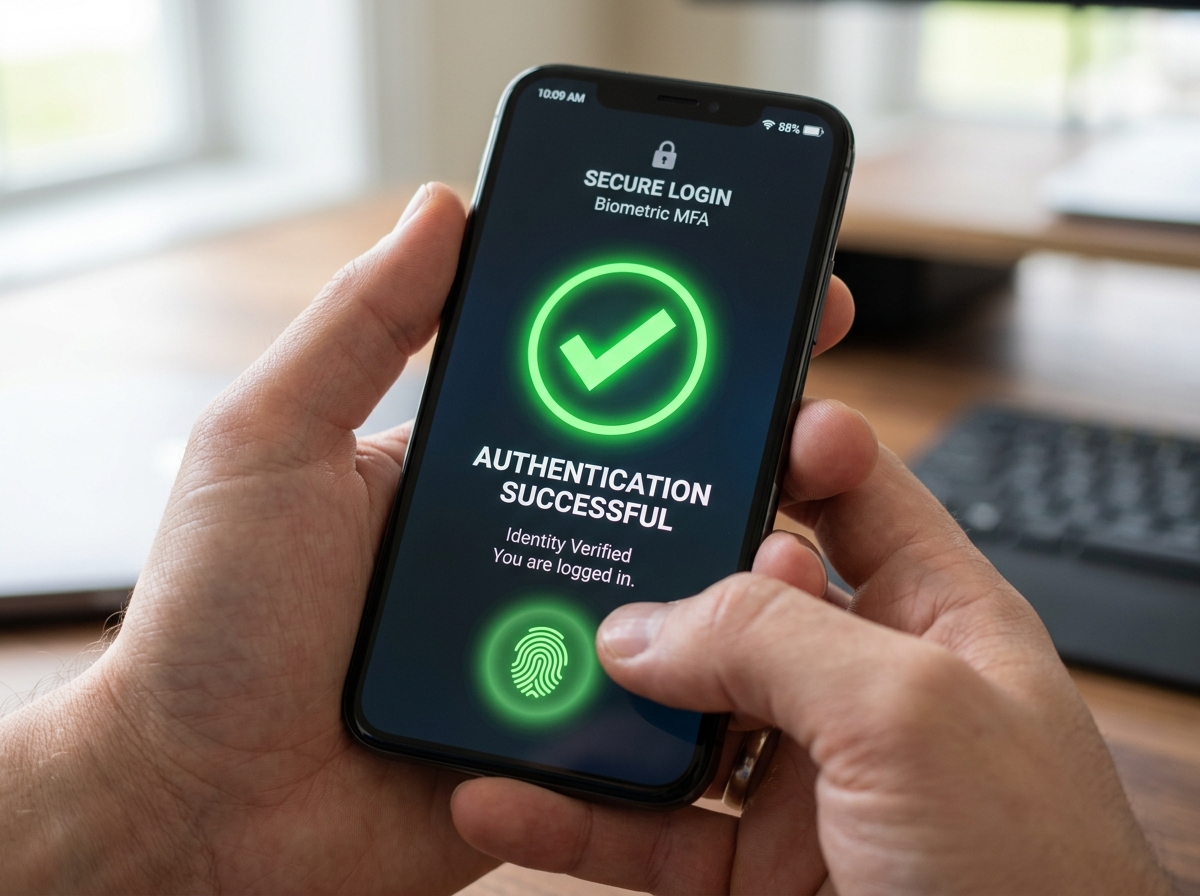
Key security features we look for include:
- Multi-Factor Authentication (MFA): Requiring a code from your phone or a fingerprint in addition to a password.
- Micro-segmentation: Breaking the network into tiny pieces so a breach in one area doesn’t spread.
- Endpoint Compliance: Checking to make sure your laptop has its antivirus turned on before letting you connect.
If you’re just breaking into remote work, understanding these security layers will make you a much more valuable (and safer) employee.
Supporting BYOD and Mobile Workforce Security
“Bring Your Own Device” (BYOD) is a reality for many of us. We want to check our email on our personal iPhones or finish a report on our home desktops. Cloud VPNs support this through Mobile Device Management (MDM) integration.
We can use certificate-based authentication to ensure that only “known” devices can connect. We also use split-tunneling, which is a clever trick: it sends your work traffic through the secure VPN but lets your personal traffic (like watching Netflix) go through your regular internet. This protects company data without slowing down your personal browsing.
Advanced Threat Prevention
Beyond just “hiding” data, cloud VPNs now act as a first line of defense. Many services include:
- DNS-based Filtering: Automatically blocking known malicious websites.
- IDS/IPS Integration: Intrusion Detection and Prevention Systems that watch for suspicious patterns in your data.
- Log Streaming: Sending data to security teams in real-time to spot threats.
Top-tier providers are trusted by over 20,000 organizations and hold certifications like SOC 2 and ISO 27001, proving they meet the highest global standards for data protection.
Implementation, Best Practices, and Troubleshooting
Ready to set one up? It’s not as scary as it looks. The core of a secure cloud vpn remote connection is the “pre-shared key” (a long, complex password shared between the gateway and the client) and robust firewall rules.
You’ll need to enable IP forwarding on your virtual machines to allow traffic to flow through the tunnel. If you’re connecting an on-premises site to the cloud, check out this guide on how to Create a Classic VPN connection to a remote site. It walks you through the nitty-gritty of static routes and gateway settings.
Integration with Existing Infrastructure
Most of us aren’t starting from scratch. We have existing servers, IaaS platforms, and on-premises gateways. Cloud VPNs are designed to be “hybrid-friendly.” You can use tools like Terraform to write your network configuration as code, making it easy to deploy the same secure setup across different cloud providers or physical locations.
Common Challenges and Troubleshooting Tips
Even the best systems have hiccups. The good news? About 90% of issues with a cloud vpn remote connection can be solved remotely. In fact, using cloud-managed solutions has been shown to increase troubleshooting speed tenfold compared to old hardware systems.
Common things we look for when a connection fails:
- IKE Rekeying Issues: If your encryption keys don’t refresh properly, the tunnel might drop. Using IKEv2 instead of IKEv1 usually solves this.
- IP Subnet Conflicts: If your home network uses the same “address range” as your office network, the data gets confused.
- MTU Considerations: Sometimes data “packets” are too big for the tunnel and get dropped. Adjusting the Maximum Transmission Unit (MTU) can smooth things out.
Frequently Asked Questions about Cloud VPNs
What is the difference between HA VPN and Classic VPN?
The main difference is reliability and architecture. HA VPN (High Availability) uses two interfaces and provides a 99.99% uptime guarantee. It’s designed for critical business use. Classic VPN uses a single interface and has a lower 99.9% SLA. Many providers are actually phasing out Classic VPNs in favor of the more robust HA model.
How does a cloud VPN support a distributed workforce?
It removes the physical “bottleneck” of an office. Because the VPN lives in the cloud, employees can connect to the nearest global node (PoP), ensuring fast speeds. It also scales instantly—if you hire 50 people tomorrow, you can give them all secure access with a few clicks, rather than waiting for new hardware to arrive in the mail.
Can I use a cloud VPN for IoT and unattended devices?
Yes! This is a growing use case. We can use cloud VPNs to securely connect “unattended” devices like point-of-sale (POS) terminals, factory sensors, or even smart vending machines. By using certificate-based authentication, these devices can stay connected to the corporate mothership without needing a human to “log in” every time.
Conclusion
At FinancePayX, we believe that the future of work is flexible, but it must be secure. A cloud vpn remote connection is no longer just a “nice-to-have” tool for tech giants; it is a foundational requirement for any business with a distributed team.
By moving away from rigid hardware and embracing the agility of the cloud, we gain network speed, better security through Zero Trust, and the ability to scale our businesses at the speed of thought. Whether you’re just starting your digital nomad life or managing a global enterprise, the right cloud VPN ensures that your data stays private while your opportunities remain wide open.
Stay secure, stay connected, and enjoy the freedom that modern networking provides!
